
Best AI Marketing Tools for a Small Agency Stack
Independent buying guide. Last updated . How we evaluate →
Part of our AI Content guide
The AI marketing tools worth paying for at a small agency are the ones that fit one connected stack with a single tool per job. Most agencies overspend on overlapping AI features, not missing ones. Below are lean, balanced and advanced stacks, real starting prices and a 30-day rollout plan.
TL;DR: which AI marketing stack should you pick?
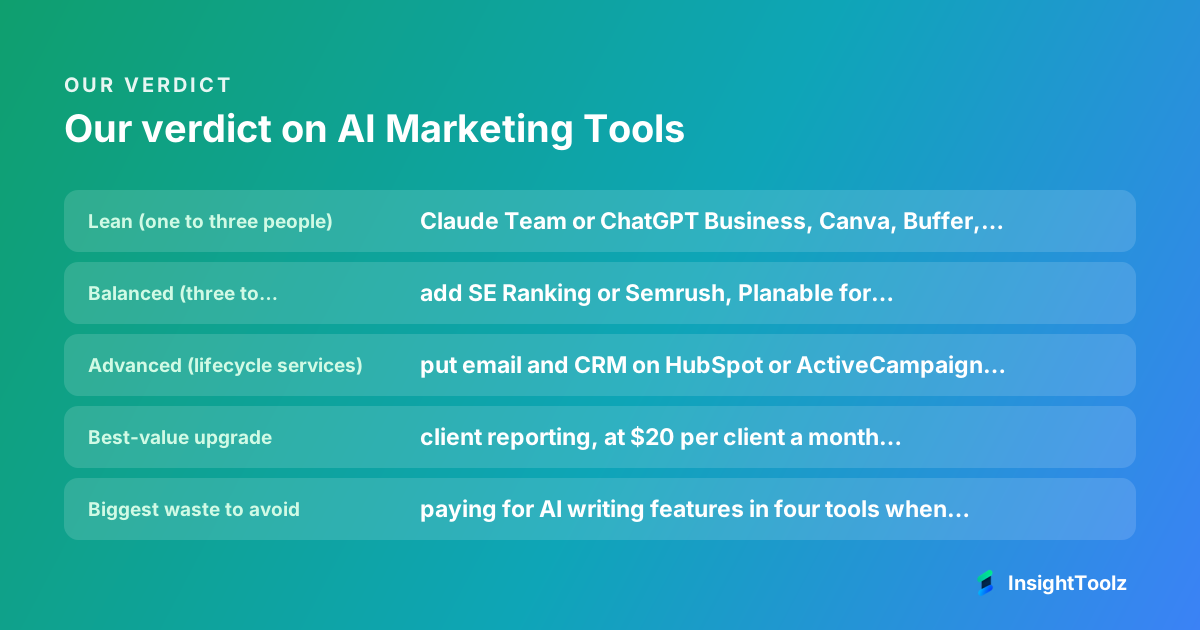
Start lean and add a layer only when one specific job costs you time or clients. Every stack keeps one AI writing workspace, Claude or ChatGPT, and one design tool, and changes only the layers around them.
- Lean (one to three people): Claude Team or ChatGPT Business, Canva, Buffer, Brevo, HubSpot's free tools and Looker Studio.
- Balanced (three to eight people): add SE Ranking or Semrush, Planable for client approvals, AgencyAnalytics for reports and Zapier for handoffs.
- Advanced (lifecycle services): put email and CRM on HubSpot or ActiveCampaign and move social to Sprout Social.
- Best-value upgrade: client reporting, at $20 per client a month with AgencyAnalytics billed annually.
- Biggest waste to avoid: paying for AI writing features in four tools when one workspace should own brand voice.
What jobs does the stack have to cover?
Seven: research, content creation, design, scheduling, email, CRM and reporting, plus the automation glue between them. Map each job to exactly one tool before you buy, because duplicate AI writing features are the most common waste.
Schedulers, email platforms and design tools all ship AI copy assistants now. Use them for quick rewrites, but keep brand voice and approved claims in one writing workspace that feeds everything else.
How did we choose the tools?
We favoured tools with multi-client structures, documented integrations and pricing a small agency can predict, and picked one tool per job. Order follows the workflow, not a ranking.
Prices below come from each vendor's official pricing page (checked 8 November 2026). Where a page was blocked or unclear, we send you to the vendor rather than guess.
How do the three stacks compare?
The lean stack covers every job with the fewest logins, the balanced stack adds client approvals and packaged reporting, and the advanced stack consolidates email and CRM. Prices are starting points from official pages (checked 8 November 2026).
| Job | Lean | Balanced | Advanced |
|---|---|---|---|
| Research | Free search data | SE Ranking Core ($129/mo monthly) | Semrush (from $139/mo) |
| Content creation | Claude Team ($25/seat monthly) or ChatGPT Business ($25/user monthly) | Same, standard seats | Same, plus one premium seat |
| Design | Canva | Canva | Canva |
| Scheduling | Buffer (free for 3 channels) | Planable Pro ($49/workspace) | Sprout Social (from $79/seat annual) |
| Brevo | Brevo or ActiveCampaign | HubSpot or ActiveCampaign | |
| CRM | HubSpot free tools | HubSpot or Pipedrive | HubSpot (same platform as email) |
| Reporting | Looker Studio | AgencyAnalytics ($20/client annual) | AgencyAnalytics |
| Automation | None, or manual | Zapier (from $29.99/mo monthly) | Zapier or Make |
Which tools fill each layer?
Each layer below names the pick, who it suits and when to skip it. Links go to official pages, and our deeper buying guides cover each layer in full.
Research: SE Ranking or Semrush
- SE Ranking: Core lists $129 a month with 10 projects and 2,000 daily tracked keywords, 20% off annually and a 14-day free trial (checked 8 November 2026).
- Semrush: paid plans start at $139 a month, with a free plan and a seven-day trial (checked 8 November 2026).
- Best for: SE Ranking for budget multi-client tracking; Semrush when breadth matters more than cost.
- Skip it if: SEO is not yet a paid service. Our guide to building an SEO tool stack without duplicate features explains when to upgrade.
Content creation: Claude or ChatGPT
- Claude Team: standard seats cost $25 a month billed monthly or $20 billed annually, premium seats $125 or $100, for teams of 2 to 150 with SSO (checked 8 November 2026). Projects hold uploaded documents and custom instructions, so one project per client keeps brand files apart (checked 8 November 2026).
- ChatGPT Business: costs $20 per user a month billed annually or $25 monthly, for 2 or more users, and offers standard and premium seats with SSO (checked 8 November 2026).
- Best for: whichever assistant your team already writes well with. Both cover the same team basics.
- Skip it if: nobody will own the brand files. Our AI writing tools pillar guide compares more options.
Design: Canva
- Best for: agencies producing social and ad visuals for several clients from brand templates.
- Skip it if: a designer already works in professional design software. Paste approved copy in rather than generating claims there.
- Pricing: Confirm which Canva plan includes brand kits on Canva's pricing page.
Scheduling: Buffer, Planable or Sprout Social
- Buffer: free for up to 3 channels, then $5 per channel a month on Essentials (checked 8 November 2026). Best for a simple queue.
- Planable: Pro costs $49 per workspace a month with unlimited users and required approvals (checked 8 November 2026). Best for client sign-off.
- Sprout Social: Essentials lists $79 per seat a month billed annually, $99 monthly, with a 30-day trial (checked 8 November 2026). Skip it unless you sell inbox and reporting work.
Our picks of social media management software for agencies and AI social content tools go deeper.
Email and CRM: Brevo, ActiveCampaign, HubSpot or Pipedrive
- HubSpot: offers free tools for up to 2 users with no card (checked 8 November 2026). Best for one platform holding email and contacts.
- ActiveCampaign: includes core CRM fields on every plan and a 14-day trial; pipelines are an add-on above Starter (checked 8 November 2026).
- Brevo and Pipedrive: check Brevo and Pipedrive directly. Pipedrive is a sales CRM that pairs with a separate email tool.
- Skip consolidation if: you do not run lifecycle campaigns yet.
See the email and outreach software hub and our roundup of CRM software for marketing agencies.
Reporting and automation: Looker Studio, AgencyAnalytics and Zapier
- Looker Studio: best if you are happy building dashboards yourself. Check Looker Studio for current terms.
- AgencyAnalytics: $20 per client a month billed annually, with a 14-day free trial (checked 8 November 2026). Best for packaged client reports.
- Zapier: free for 100 tasks a month; Professional starts at $29.99 monthly or $19.99 billed annually (checked 8 November 2026). Make's free plan includes 1,000 credits a month (checked 8 November 2026).
Compare options in our white-label reporting platforms guide and Zapier, Make and n8n comparison.
What does each stack cost per month?
Three Claude Team standard seats or three ChatGPT Business seats each cost $75 a month billed monthly or $60 billed annually, based on Claude's listed seat prices and OpenAI's listed seat prices (both checked 8 November 2026). Add each layer using its pricing unit, because seat, channel, contact and client counts grow at different speeds.
- Per seat: writing, Sprout Social and CRM. Count only people who need a login.
- Per channel or workspace: Buffer charges per channel, Planable per workspace.
- Per contact: email platforms. Price at your largest client's list size.
- Per client: AgencyAnalytics. Five clients is $100 a month billed annually.
- Per task: Zapier. Estimate monthly handoffs, then add headroom for overage.
Rebill client-specific costs rather than absorbing them. At renewal, run our stack audit for duplicate subscriptions.
Where do these stacks break in real agency use?
At the joins: an automation that stops when one person's account is removed, a reporting connector that loses access when a client changes passwords, or brand files living in one writer's chat history. Each is a single point of failure that needs an owner and a shared admin account.
- Run automations from a shared agency account, not a personal login.
- Keep client brand files in a shared project, with a copy in your own storage.
- List every client connection and the account that authorised it.
- Pick one system of record for contacts before syncing anything.
How do you roll the stack out in 30 days?
One layer per week, starting with the writing workspace and ending with automation, so each tool is stable before anything depends on it. Move one pilot client through the full stack before migrating the rest.
- Days 1 to 7: set up the writing workspace, one project per client, and load each brand guide. Agree review steps from our AI content workflow guide.
- Days 8 to 14: connect design and scheduling for the pilot and run one week of posts through approval.
- Days 15 to 21: connect email and CRM, choose the system of record and import the pilot's contacts.
- Days 22 to 30: build the pilot's report, automate the handoffs you repeated most, document owners and plan the rest of the roster.
What else do agencies ask about AI marketing stacks?
Most questions are about consolidation, picking an assistant and when to upgrade. Short answers follow.
Should a small agency buy an all-in-one platform instead?
Only if most of your revenue comes from the jobs that platform does well. All-in-one suites cut integrations but usually leave one layer weaker than a specialist would.
Do we need a separate AI writing tool if every app has AI built in?
Yes, as the single place that holds brand voice and approved claims. Built-in assistants are fine for quick rewrites of copy that came from it.
Should we pick Claude or ChatGPT for the writing layer?
Pick the one your team already uses well, then standardise on it. Both offer team workspaces with SSO and standard and premium seats, so the deciding factor is fit, not features on paper.
When should we move from the lean to the balanced stack?
When client approvals or reporting take more of the week than producing the work. Those are the two jobs the balanced stack adds.
Who should own the stack in a small agency?
One named person, usually operations or the founder, who holds admin access, tracks renewals and keeps the list of client connections.
What's the verdict?
Start lean, with one writing workspace and one design tool, and add a layer only when a specific job costs you time or clients. Consolidate email and CRM once you sell lifecycle work, and cut any tool whose job another already does.
For running the agency itself, see our guide to an agency operating stack that protects margins. Browse the automation and analytics hub, the CRM and lead generation hub and the AI content software hub.
Keep reading
All AI Content guides → Buying guide
Best AI Writing Tools for Marketing Teams
The best AI writing tools for marketing teams, split by job: long-form, short copy, brand governance, SEO and collaboration, with limits and…
Read guide → Comparison
ChatGPT vs Claude for Marketing Workflows
ChatGPT vs Claude for marketing, compared by job: research, drafting, data, images, files, collaboration, plan costs and data policies, with dated…
Read comparison →