
Best AI Presentation Tools for Sales and Marketing Teams
Independent buying guide. Last updated . How we evaluate →
Part of our AI Content guide
The best AI presentation tools for a sales or marketing team are the ones whose decks still look right after export and still follow your brand template after a rep edits them. Fast first drafts are the easy part. Every product here can produce one.
TL;DR: which AI presentation tools should you shortlist?
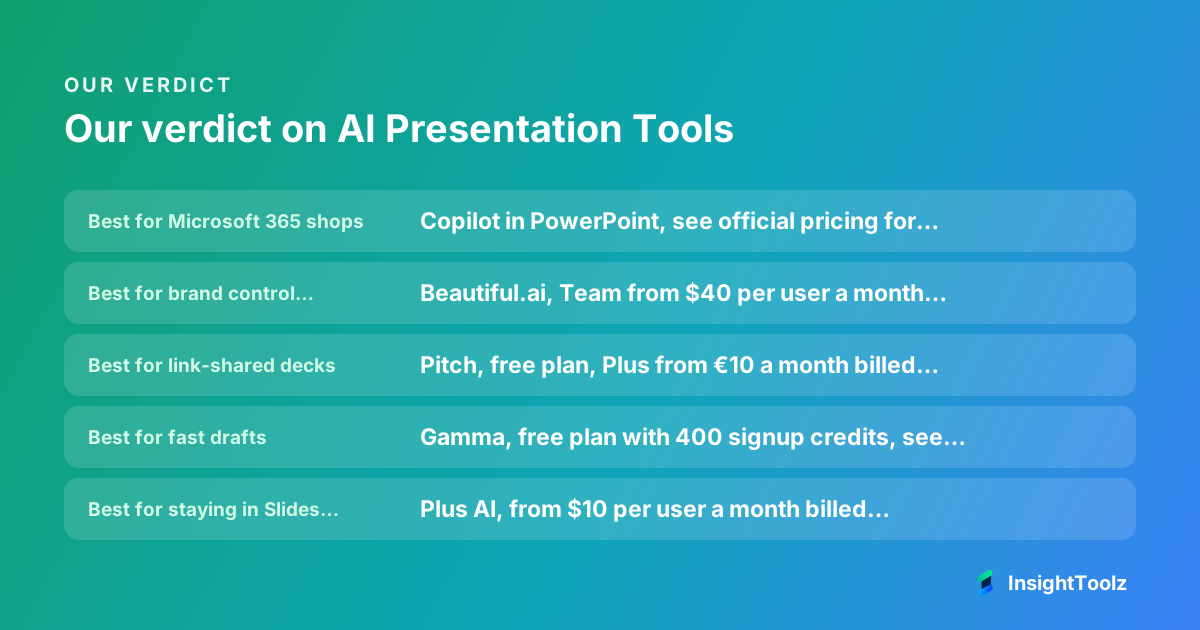
Start with the AI already in your office suite, then add one specialist only to close a clear gap. These are the top picks, with entry prices from official pages.
- Best for Microsoft 365 shops: Copilot in PowerPoint, see official pricing for your licence.
- Best for brand control across many reps: Beautiful.ai, Team from $40 per user a month billed annually (checked 8 November 2026).
- Best for link-shared decks: Pitch, free plan, Plus from €10 a month billed yearly (checked 8 November 2026).
- Best for fast drafts: Gamma, free plan with 400 signup credits, see official pricing for paid plans (checked 8 November 2026).
- Best for staying in Slides or PowerPoint: Plus AI, from $10 per user a month billed annually (checked 8 November 2026).
What is an AI presentation tool?
An AI presentation tool turns a prompt, document or outline into a draft slide deck, then helps you edit layout, copy and images. Some are standalone generators, while others are assistants built into PowerPoint or Google Slides.
- Brief: you type a prompt or import notes, a document or an outline.
- Draft: the tool proposes a slide structure with headlines, body copy and images.
- Brand: it applies a theme, template or brand kit, if you have set one up.
- Edit and share: you refine slides, then present, share a link or export to PPTX or PDF.
This page is part of our AI content software hub.
How do the AI presentation tools compare?
Native office tools win on file fidelity, brand-focused tools win on control, and generators win on draft speed. Most charge per seat, and several meter AI use with credits.
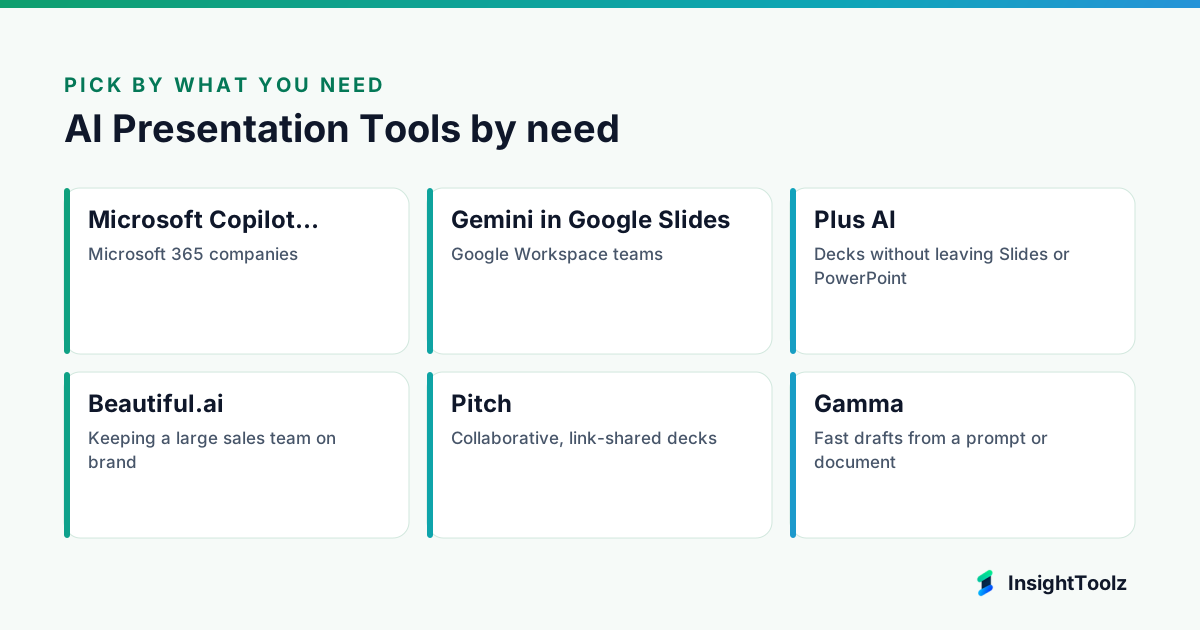
| Tool | Best for | Entry price | One material limit |
|---|---|---|---|
| Copilot in PowerPoint | Microsoft 365 companies | Depends on your Microsoft 365 and Copilot licensing | Only as good as your template |
| Gemini in Google Slides | Google Workspace teams | Depends on Workspace plan | Slide-level help, not a deck engine |
| Plus AI | Decks inside Slides or PowerPoint | $10 per user per month, annual | Card needed for the 7-day trial |
| Beautiful.ai | Brand-safe team decks | $14.50 per month Pro, annual | Team plan capped at 20 seats |
| Pitch | Link-shared, collaborative decks | Free; Plus €10 per month, annual | Free AI credits do not renew |
| Gamma | Fast web-first drafts | Free plan with signup credits | Google Slides only via PPTX upload |
| Canva | Design-led campaign decks | See official pricing | Brand control needs admin setup |
| Prezi | Non-linear presenting | See official pricing | Unfamiliar format for some buyers |
What makes a great AI presentation tool for sales and marketing?
A great AI presentation tool produces decks that stay on brand after a rep edits them and still look right after export. Our ranking is research-based, drawn from official sites and pricing pages, not hands-on testing.
- Prompt-to-deck generation: how much of a usable draft it builds from a brief.
- Brand templates: locked themes or brand kits that reps can't break.
- Source imports: building from Word files, Drive content or notes.
- Collaboration: shared editing, comments and link sharing.
- Export: PPTX and PDF output for buyers who want files.
- Presenter controls: speaker notes, live presenting and view analytics.
- Seat and credit cost: per-user price, seat caps and AI credit limits.
Export and brand control carry the most weight for sales use. Order is not affected by payment.
Which AI presentation tools are built into office suites?
Copilot in PowerPoint and Gemini in Google Slides are the safest defaults because files stay where your company already works. They are only as strong as the templates you give them.
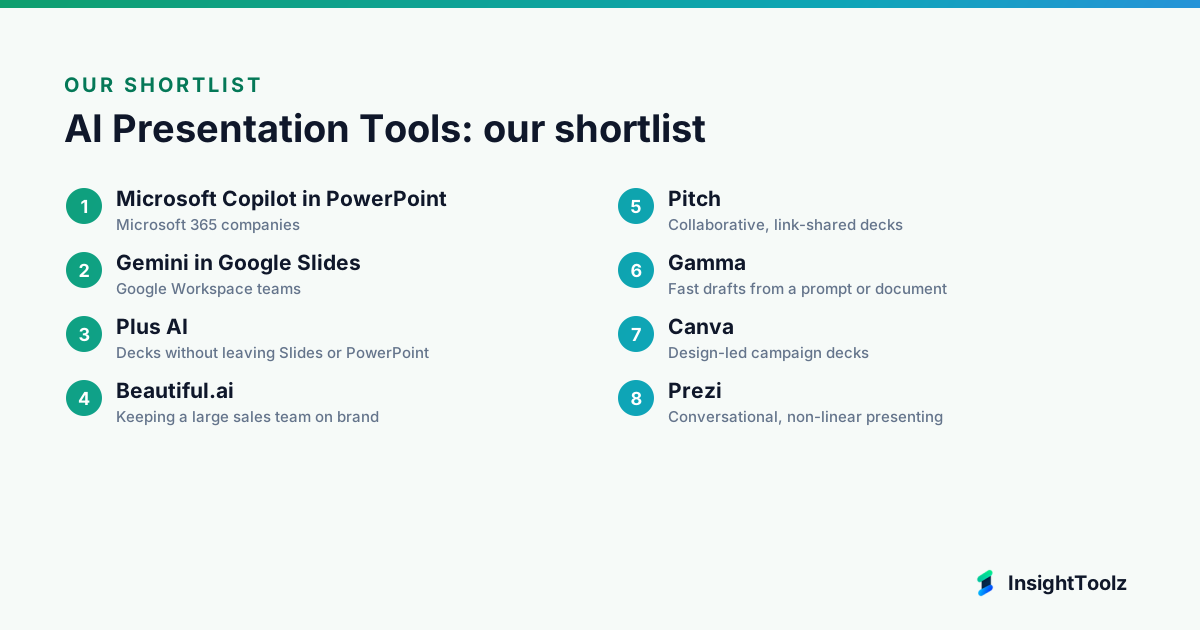
1. Microsoft Copilot in PowerPoint: best for Microsoft 365 companies
Copilot is Microsoft's AI assistant, and inside PowerPoint it builds and edits decks for Microsoft 365 users.
What it does well: it drafts in native PPTX on your organization's own template. Admins can require a Brand Kit, which keeps reps on brand.
- Creates a deck from a prompt.
- Builds a deck from a Word document.
- Uses your organization's template layouts.
- Applies a required Brand Kit, per Microsoft's support guide (checked 8 November 2026).
Pricing: Microsoft notes Copilot may not be included in every Microsoft 365 subscription, so see official pricing for your licence (checked 8 November 2026).
Best for: teams that send native PPTX files.
Limitations: output quality depends on your template. Skip it if your company is not on Microsoft 365.
2. Gemini in Google Slides: best for Google Workspace teams
Gemini is Google's AI model, built into Google Slides for Workspace users.
What it does well: it adds slide-level help without a new vendor to approve. It can draw on files already in your Drive.
- Summarizes content.
- Generates a slide from a prompt that uses Drive files.
- Creates images, per Google's Slides page (checked 8 November 2026).
- Works inside the Slides editor your team already uses.
Pricing: availability depends on your Workspace plan, and Google's page does not say which plans include each feature, so see official pricing (checked 8 November 2026).
Best for: teams that want no new vendor to approve.
Limitations: it helps slide by slide rather than building a whole deck from a long document.
Which specialist AI presentation tools are worth adding?
Specialists earn a seat only when they fix a problem your suite cannot, such as brand control, link tracking or draft speed. Pick one, not several.
3. Plus AI: best for decks without leaving Slides or PowerPoint
Plus AI is a deck generator that runs as an add-in inside Google Slides and PowerPoint.
What it does well: it brings generator speed to native office files. You keep your usual editor and file format.
- Works in Google Slides and PowerPoint.
- Basic, Pro, Team and Max plans.
- 7-day trial with 1,000 AI credits.
- Card required for the trial.
Pricing: Basic $10, Pro $20, Team $30 and Max $200 per user a month billed annually ($15, $25, $40 and $240 monthly), per Plus AI pricing (checked 8 November 2026).
Best for: generator speed with native office files.
Limitations: it overlaps with Copilot and Gemini, so skip it if your built-in assistant already covers your needs.
4. Beautiful.ai: best for keeping a large sales team on brand
Beautiful.ai is a presentation app whose smart slide layouts adjust design automatically as you edit.
What it does well: it stops reps breaking the design. Team adds custom branded themes, and Enterprise adds configurable brand guardrails.
- Custom branded themes on Team.
- Configurable brand guardrails on Enterprise.
- PowerPoint import and export on Pro.
- 14-day trial, card required.
Pricing: Pro $14.50 a month billed annually; Team $40 per user annually or $50 monthly for 2 to 20 seats; Enterprise custom, per Beautiful.ai pricing (checked 8 November 2026).
Best for: reps who edit decks but should not break the design.
Limitations: the Team plan stops at 20 seats. Skip it if designers build every deck by hand.
5. Pitch: best for collaborative, link-shared decks
Pitch is a collaborative presentation platform built for decks that are shared and presented as links.
What it does well: it shows who viewed a deck and for how long. That suits sales teams who follow up on engagement.
- Free plan with 100 AI credits that do not renew.
- 500 AI credits a month on Plus and Team, 750 on Business.
- Business includes unlimited advanced links.
- Links track visits, slide views and time spent.
Pricing: Free, Plus €10, Team €15 and Business €20 a month on yearly billing, plus custom Enterprise, per Pitch pricing (checked 8 November 2026).
Best for: teams that present live and share links.
Limitations: prices are shown in euros on yearly billing. Skip it if buyers need unbranded PowerPoint files and you plan to stay on Free.
6. Gamma: best for fast drafts from a prompt or document
Gamma is an AI-first app that builds presentations, documents and web pages from a prompt.
What it does well: it turns a messy brief into a readable draft quickly. Unused paid credits roll over up to double the plan size.
- Free plan with 400 signup credits that do not refresh.
- Plans from Plus to Enterprise.
- Exports to PDF, PNG and PPTX, per Gamma's export guide (checked 8 November 2026).
- Google Slides reached by uploading the PPTX.
Pricing: Free, Plus, Pro, Ultra, Teams, Business and Enterprise plans, per Gamma's help centre (checked 8 November 2026). See official pricing for current prices.
Best for: turning a messy brief into a readable draft.
Limitations: it is web-first, so skip it if pixel-perfect PowerPoint output is mandatory.
7. Canva: best for design-led campaign decks
Canva is an online design platform whose presentation editor shares its templates and asset library.
What it does well: it suits marketers who already design social and campaign assets in Canva. Decks can reuse the same templates and assets.
- Presentation editor inside the wider design suite.
- Shared templates and asset library.
- Brand controls that need admin setup.
- Plan and AI details: see official pricing.
Pricing: Canva's site could not be read on our check date, so confirm plans on Canva's pricing page (checked 8 November 2026).
Best for: visual campaign decks made by marketing.
Limitations: skip it if decks are data-heavy and mostly edited by sales.
8. Prezi: best for conversational, non-linear presenting
Prezi is a presentation tool known for zooming, non-linear canvases instead of fixed slide order.
What it does well: it suits live sessions that move between topics. Viewers can revisit a session as a narrated video.
- Drafts a presentation from a one-sentence description.
- Imports slides made in other AI tools.
- Narrated video replays for viewers, per Prezi's site (checked 8 November 2026).
- Non-linear canvas presenting.
Pricing: Prezi's pricing page did not load for us, so see official pricing (checked 8 November 2026).
Best for: training and live sessions that benefit from movement.
Limitations: the format is unfamiliar to some buyers. Skip it if decks are mainly sent as attachments.
What does an AI presentation tool cost for a team of 5, 10 or 20?
On published per-user team prices billed annually, Plus AI Team costs less than Beautiful.ai Team at every size. This is our arithmetic from published regular prices, per month, before tax.
| Plan | 5 users | 10 users | 20 users |
|---|---|---|---|
| Plus AI Team ($30/user) | $150 | $300 | $600 |
| Beautiful.ai Team ($40/user) | $200 | $400 | $800 |
| Copilot in PowerPoint | Quote only | Quote only | Quote only |
| Gamma, Canva, Prezi | See official pricing | See official pricing | See official pricing |
- Count who creates decks versus who only views them.
- Ask how credits are spent and whether they roll over.
- Check seat caps: Beautiful.ai Team stops at 20 seats.
- Check whether PPTX export or brand controls sit on a higher tier.
Our AI content tool pricing guide shows how to compare cost per finished asset.
Which AI presentation tool should you use?
Pick by where the finished deck has to live. If buyers expect a PowerPoint file, favour native office tools; if decks are shared as links, web-first tools are fine.
- You need native PowerPoint files with corporate templates: Copilot in PowerPoint.
- You work in Google Workspace: Gemini in Google Slides, or Plus AI for full-deck generation.
- You need brand-safe decks for a large sales team: Beautiful.ai.
- You want view tracking on shared decks: Pitch.
- You want fast first drafts: Gamma.
- You make design-led campaign decks: Canva.
- You want a general assistant to draft deck copy: see our ChatGPT vs Claude comparison for marketing workflows.
- You need video versions of decks: see AI video editing tools for marketing teams.
Will an AI-built deck survive export to PowerPoint or Google Slides?
Native office tools avoid the problem entirely. For web-first tools, assume fonts, spacing, animations and charts may shift until you check an export yourself.
Vendor pages describe export options, not export quality. Beautiful.ai lists PowerPoint export on Pro, and Gamma reaches Google Slides only through a PPTX file, so test the exact path your buyers receive.
How should you test a sales deck and a campaign strategy deck?
Run two identical briefs through every shortlisted tool: a ten-slide sales deck from account notes and a strategy deck from a planning document. These are protocols for your trial, not results we ran.
- Sales deck: give each tool the same account notes, value proposition, two proof points and pricing. Check it uses your template and invents nothing.
- Strategy deck: import one planning document and ask for objectives, audiences, channels, budget and timeline. Check charts stay editable.
- Export each deck to PPTX and PDF, then open the PPTX in PowerPoint and Google Slides.
- Have a rep, not a designer, edit three slides and see whether the layout holds.
- Present in each tool and check speaker notes, timers and remote control.
Account context usually lives in your CRM; our list of CRMs for B2B SaaS sales teams covers which make that data easy to pull.
What should a manual QA check cover before a deck goes out?
Check every number, name, logo and claim against its source, then check layout after export. AI drafting is fast because it skips this step, so a person must do it.
- Facts: prices, dates, metrics and customer names match an approved source.
- Claims: no invented case studies, logos or results.
- Brand: correct template, fonts, colours and logo versions.
- Images: rights cleared for every generated or stock image.
- Export: fonts, charts and animations intact in the buyer's format.
Approved claims belong in a shared library; sales enablement software handles that for growing teams.
What is the bottom line on AI presentation tools?
Most teams should start with Copilot in PowerPoint or Gemini in Slides and add one specialist to fix a specific gap. Choose Beautiful.ai for brand control, Pitch for link sharing, Gamma for speed and Canva for design-led decks.
Next steps: run the two-deck test on two shortlisted trials, price seats with our AI content pricing guide, and tighten slide copy using the AI writing tools pillar.
What else do sales and marketing teams ask about AI presentation tools?
Questions tend to cover editing, confidentiality and whether designers are still needed. Brief answers follow.
Can AI presentation tools use our existing brand template?
Office-suite assistants work inside your existing templates, while design suites and generators usually need your theme rebuilt as a brand kit, so budget setup time.
Is it safe to upload confidential sales material?
Check each vendor's data processing terms, whether your content is used for model training, and whether admins can restrict sharing before uploading pricing or customer data.
Do we still need a designer if we use an AI deck tool?
Yes, for master templates, flagship decks and visual QA; the AI mainly saves time on first drafts and routine updates.
Can reps edit AI-generated decks without breaking the design?
Tools with locked templates handle this best, so ask a rep to edit slides during the trial rather than relying on a vendor demo.
Is there a free AI presentation tool?
Yes. Pitch and Gamma both have free plans, but their free AI credits do not renew, so heavy users will need a paid plan.
Keep reading
All AI Content guides → Comparison
ChatGPT vs Claude for Marketing Workflows
ChatGPT vs Claude for marketing, compared by job: research, drafting, data, images, files, collaboration, plan costs and data policies, with dated…
Read comparison → Comparison
Jasper vs Copy.ai vs Writesonic: Which Marketing Platform Fits?
Jasper vs Copy.ai vs Writesonic: brand governance, GTM workflows or AI search visibility. Seat models, plan limits and a three-person cost…
Read comparison → Alternatives
Jasper Alternatives for Brand-Consistent Marketing Content
Jasper alternatives grouped by why you're switching: tighter governance, lower seat cost, GTM workflows or SEO. Includes a brand-guide migration…
Read guide →