
Best AI Video Editing Tools for Marketing Teams
Independent buying guide. Last updated . How we evaluate →
Part of our AI Content guide
The AI video editing tools worth buying for most marketing teams cut, caption and resize footage you already own. Text-to-video generators are a separate purchase with separate risks, so this guide keeps the two apart and gives you a clear pick for each job.
What's the short answer?
Buy one AI video editor that matches your source footage, then add a specialist only when a monthly need appears. Generators like Runway and Synthesia are add-ons, not your main editor.
- Best for speech-led video: Descript, from $16 per seat a month billed annually (checked 8 November 2026).
- Best for long-to-short clips: Opus Clip, from $15 a month (checked 8 November 2026).
- Best for co-editing in the browser: Kapwing or VEED, see official pricing.
- Best for generated B-roll: Runway, from $12 a month billed annually (checked 8 November 2026).
- Best for avatar training videos: Synthesia, from $14 a month billed annually (checked 8 November 2026).
What is AI video editing software?
AI video editing software uses machine learning to handle the slow parts of editing, such as transcribing, captioning, trimming and reframing footage you already own. Text-to-video generators are a separate category that creates new footage from a prompt or script.
- Upload: you add a recording, such as a webinar, demo or interview.
- Transcribe: the tool turns speech into text you can search and edit.
- Edit and caption: AI removes filler words or silences and adds subtitles.
- Reframe: clips are resized for vertical, square or wide placements.
- Export: you publish at the resolution your plan allows, with or without a watermark.
For the wider stack, see our AI content software category.
How do these AI video tools compare?
Editors mostly charge per seat, while generators mostly charge in credits or video minutes. That split matters more than any single feature when you forecast a year of output.
| Tool | Best for | Entry paid plan (USD) | Free option | Export note |
|---|---|---|---|---|
| Descript | Speech-led edits | Hobbyist, $16/seat/mo annual or $24 monthly | Yes, 60 media minutes/mo | Free 720p; 4K from Creator |
| Opus Clip | Long-to-short clips | Starter, $15/mo | Yes, watermarked | Free up to 1080p |
| Kapwing | Co-editing in the browser | Pro; see pricing page | Yes, watermarked | Free 720p; Pro 4K |
| VEED | Browser editing and subtitles | Per seat; see pricing page | Yes | See pricing page |
| CapCut | Template-led short-form | See pricing page | Yes | See pricing page |
| Premiere Pro | Trained editors | Creative Cloud subscription | 7-day trial | Professional exports |
| Runway | Generated B-roll | Standard, $12/mo annual or $15 monthly | Yes, 125 one-time credits | See pricing page |
| Synthesia | Avatar training videos | Starter, $14/mo annual or $19 monthly | Yes, 10 video minutes/mo | Enterprise by quote |
What makes a great AI video editing tool?
A great AI video editor saves editing hours on the footage you already make and keeps rights questions simple. We ranked these tools from research on official sites and pricing pages, not hands-on testing.
- Short-form speed: how quickly a recording becomes a publishable clip.
- Caption workflow: auto subtitles, styling and how easy they are to correct.
- Repurposing: clip selection and reframing for each platform.
- Brand kits: saved logos, fonts and colors, ideally one per client.
- Collaboration: shared workspaces and review for teams.
- Export limits: resolution and watermarks by plan.
- Pricing model: per seat versus credits, and what one month of output costs.
The order isn't influenced by payment, and this page has no affiliate links. We ran no edits and measured no caption accuracy.
Which editing-first tools fit marketing work?
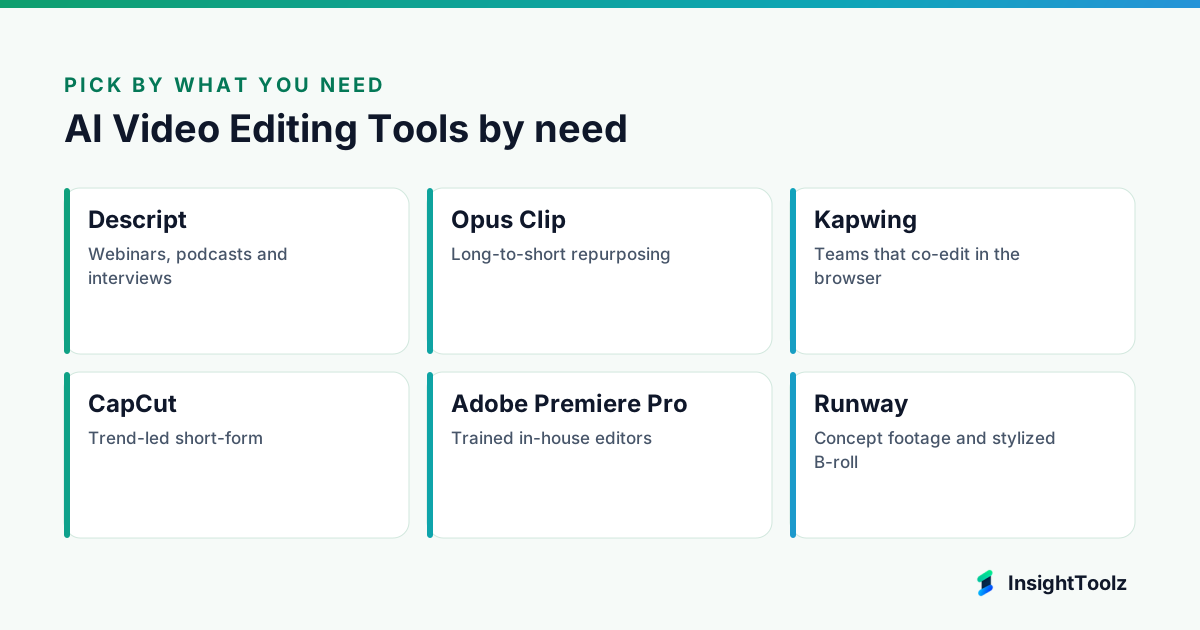
Descript and Opus Clip cover the two most common marketing jobs: editing recorded talk and cutting it into clips. Kapwing, VEED and CapCut suit generalists, and Premiere Pro suits specialists.
1. Descript: best for webinars, podcasts and interviews
Descript is a video and audio editor built around the transcript, so you edit footage the way you edit a document.
What it does well: it makes recorded talk easy to tidy for people who aren't trained editors. Cutting a sentence from the transcript cuts it from the video, and audio cleanup is built in.
- Edit video by editing its transcript.
- Filler-word removal.
- Studio Sound audio cleanup.
- Voice cloning.
- Underlord AI assistant, per Descript's site (checked 8 November 2026).
Pricing: Free ($0, 60 media minutes a month, 720p), Hobbyist ($16 per seat a month billed annually, $24 monthly), Creator ($24 or $35, 4K), Business ($50 or $65) and custom Enterprise, per Descript pricing (checked 8 November 2026).
Best for: marketers who aren't editors but publish a lot of recorded talk.
Limitations: it is less suited to motion-heavy ads or product B-roll set to music. Skip it if that is most of your output.
2. Opus Clip: best for long-to-short repurposing
Opus Clip is a repurposing tool that turns long videos into short social clips automatically.
What it does well: it picks clips from a long recording, reframes them for each platform and captions them. For webinar and podcast teams, that removes most of the cut-down work.
- Long-to-short clip selection.
- ReframeAnything reframing with object tracking.
- Automatic dynamic captions, per Opus Clip's site (checked 8 November 2026).
- Free exports up to 1080p, with a watermark.
Pricing: Free (watermarked), Starter at $15 a month, Pro at $29 a month and custom Business, per Opus Clip pricing (checked 8 November 2026). Confirm the monthly credit allowance on that page.
Best for: webinar and podcast teams that need a steady stream of social cut-downs.
Limitations: automated picks can cut mid-argument, so someone must watch every clip. Skip it if you rarely record long-form.
3. Kapwing: best for teams that co-edit in the browser
Kapwing is a browser-based video editor with a shared team workspace.
What it does well: several people can work on the same project without desktop software. Paid plans add a Brand Kit and generous subtitle minutes.
- Team workspace in the browser.
- Auto subtitles: 10 minutes free, up to 1,000 a month on Pro and 4,000 on Business.
- Brand Kit for logos, fonts and colors on paid plans.
- Pro exports in 4K without a watermark; Free exports at 720p with one.
Pricing: Free, Pro, Business and custom Enterprise plans, per Kapwing pricing (checked 8 November 2026). Check current prices there, since the annual toggle changes them.
Best for: distributed teams and agencies that review edits together.
Limitations: the browser workflow adds little if one person does all the editing in desktop software.
4. VEED: best alternative browser editor with avatars
VEED is an online video editor that combines subtitles, templates and AI avatars.
What it does well: it puts captioning, brand assets and presenter avatars in one browser tool. Paid plans include subtitle generation under a fair use limit.
- Automatic subtitles.
- Brand kit.
- Templates.
- AI avatars, per VEED's site (checked 8 November 2026).
Pricing: plans are charged per seat, and paid plans include subtitle generation under a 50-hour monthly fair use limit, per VEED pricing (checked 8 November 2026). Plan prices weren't readable, so see official pricing.
Best for: teams that want subtitles, brand kits and avatars in one tool.
Limitations: the overlap with Kapwing is large, so trial both and buy one.
5. CapCut: best for trend-led short-form
CapCut is a template-led video editor from ByteDance, available on desktop, web and mobile.
What it does well: it makes fast social video cheap to start. You can begin free with no card and lean on one-click templates.
- Captions with translation and styling.
- One-click templates.
- Desktop, web and mobile apps.
- Free start with no card required, per CapCut's site (checked 8 November 2026).
Pricing: paid plan prices aren't on the homepage, so see official pricing on CapCut's site (checked 8 November 2026).
Best for: fast, template-led social video on a small budget.
Limitations: legal may need clear rights for every template, track and effect. Some organizations also put ByteDance apps through extra procurement review.
6. Adobe Premiere Pro: best for trained in-house editors
Premiere Pro is Adobe's professional video editor, sold through Creative Cloud.
What it does well: it gives specialists full control over color, audio and export. The individual plan also includes generative credits for AI features.
- Creative Cloud subscription.
- 7-day free trial.
- 25 generative credits a month on the individual plan.
- Professional-grade exports.
Pricing: prices vary by region, so check yours on Adobe's Premiere plans page (checked 8 November 2026).
Best for: teams with trained video editors.
Limitations: it is more tool than most marketers need. Skip it if your editors are marketers rather than video specialists.
When does a text-to-video generator earn its place?
A generator earns its place when you need the same kind of unfilmable footage every month: concept shots, abstract B-roll or localized presenter videos. It doesn't replace an editor, and its output needs more review than an edit.
7. Runway: best for concept footage and stylized B-roll
Runway is a generative video platform that creates footage from prompts and images, sold on credits.
What it does well: it produces mood films and visual experiments without a shoot. Credit tiers let you scale from trials to heavy months.
- Free plan with 125 one-time credits.
- 625 monthly credits on Standard.
- 2,250 credits on Pro.
- 9,500 credits on Max.
Pricing: Standard is $12 a month billed annually ($15 monthly), Pro $28 or $35 and Max $76 or $95, per Runway pricing (checked 8 November 2026).
Best for: mood films, concept shots and visual experiments.
Limitations: generated products may not match reality. Skip it if you need accurate product demonstrations.
8. Synthesia: best for training and explainer videos
Synthesia is an AI video platform that turns a script into a presenter video with an AI avatar.
What it does well: it lets you update and localize training video without reshoots. You change the script, not the set.
- Script-to-video with AI avatars.
- Free Basic plan with 10 video minutes a month.
- Paid Starter and Pro tiers.
- Enterprise with unlimited minutes.
Pricing: Starter is $14 a month billed annually ($19 monthly), Pro $59 annually ($89 monthly) and Enterprise custom, per Synthesia pricing (checked 8 November 2026).
Best for: localized training without reshoots. HeyGen is a comparable avatar tool to trial alongside it.
Limitations: skip it if authenticity is the point of the content. Custom avatars of real staff need documented consent.
Which AI video editing tool should you use?
Match the tool to your most common source material, not the most impressive demo. Most teams end up pairing one editor with one specialist.
- You run a B2B webinar program: Descript for edits plus Opus Clip for cut-downs.
- You produce social video for many clients: Kapwing or VEED with a brand kit per client, alongside our AI social content tools for agencies roundup.
- You make sales and enablement video: Synthesia; for slide-led assets compare AI presentation tools for sales and marketing.
- You want one article to feed every channel: start with our list of AI repurposing tools for multi-channel content.
- You want thumbnails and stills too: see AI image generators for ad creative teams.
Is per-seat or credit pricing cheaper for your volume?
Per-seat pricing is usually cheaper for a team that edits every day but generates rarely. Credit pricing suits occasional heavy bursts, but only if you model credits against a real month of briefs.
Credits deplete by output length, resolution and model, so one plan can last a month for one team and a week for another. Compare export resolution, watermark removal, the monthly AI allowance and rollover. Our cost-per-asset breakdown for AI content tools turns those limits into one figure.
How accurate are AI auto captions?
Not accurate enough to publish unchecked: none of the vendor pages we reviewed promise an accuracy rate. Audio quality, accents and product names all affect results.
To compare fairly in a trial, run the same three recordings through each shortlisted tool: a clean studio talk, a noisy event clip and a call heavy with product names. Count corrections per minute, then export at your target resolution and check for watermarks.
What review does generated footage need before it's published?
Generated footage needs a caption proofread, a consent check, a product-truth check, a rights check and a disclosure decision. Edited footage of your own recordings needs the first and usually the third.
- Captions: proofread names, product terms and numbers.
- Likeness and voice: get written consent before cloning anyone's face or voice.
- Product truth: footage must not show features your product doesn't have.
- Rights: confirm commercial terms on music, stock and templates.
- Disclosure: follow each platform's rules on labeling synthetic media.
Our guide to judging AI output for accuracy and brand safety sets out the wider process.
What is the bottom line on AI video editing tools?
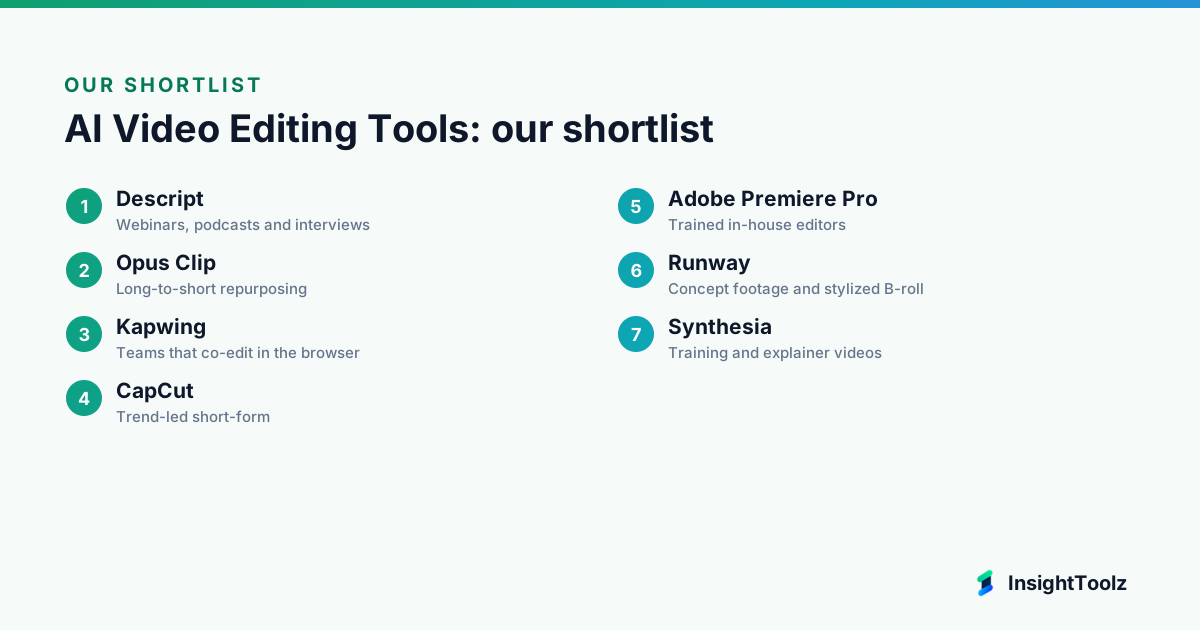
Buy around your source material: Descript for speech-led recordings, Opus Clip for repurposing, Kapwing or VEED for team editing and Premiere Pro for specialists. Runway and Synthesia are useful add-ons with their own review steps, not a starting point.
Next steps: start a free plan on your top two editors and run the three-recording caption check above, compare per-asset costs in our AI content pricing guide, and line up scripts with the AI writing tools pillar.
What else do marketing teams ask about AI video editing tools?
The recurring questions are about ads, accuracy and resolution. Each answer below is short on purpose.
Do we need both a video editor and a text-to-video generator?
Usually not at first. Start with an editor, and add a generator only when you have a monthly need for footage you can't film.
Can AI-generated video run in paid ads?
Often it can, subject to the vendor's commercial terms, each ad platform's policies on synthetic media and your own legal review of likeness and trademarks.
Will a browser-based editor export in 4K?
It depends on the plan. Kapwing Pro exports in 4K and Descript offers 4K from its Creator plan, so check the export resolution on each vendor's pricing page before you buy.
Is there a free AI video editor for marketing?
Yes. Descript, Opus Clip, Kapwing, VEED and CapCut all have free options, but free plans usually cap resolution, minutes or add a watermark.
Who should approve AI-edited video before it goes live?
At minimum, the content owner checks captions and claims, and anyone whose face or voice appears, or is synthesized, signs off on its use.
Keep reading
All AI Content guides → Best of
Best AI Presentation Tools for Sales and Marketing Teams
AI presentation tools for sales and marketing teams compared on prompt-to-deck generation, brand templates, imports, export fidelity and presenter…
Read guide → Comparison
ChatGPT vs Claude for Marketing Workflows
ChatGPT vs Claude for marketing, compared by job: research, drafting, data, images, files, collaboration, plan costs and data policies, with dated…
Read comparison → Comparison
Jasper vs Copy.ai vs Writesonic: Which Marketing Platform Fits?
Jasper vs Copy.ai vs Writesonic: brand governance, GTM workflows or AI search visibility. Seat models, plan limits and a three-person cost…
Read comparison →