Best Free AI Writing Tools for Small Businesses
Independent buying guide. Last updated . How we evaluate →
Part of our AI Content guide
The best free AI writing tools are general assistants with permanent free tiers, such as Claude, ChatGPT, Gemini and Microsoft Copilot, plus free editing layers like Grammarly and QuillBot. Most marketing-specific platforms only offer a trial, which is not the same thing.
TL;DR: which free AI writing tools should a small business use?
Pair one free assistant for drafting with one free checker for editing. That costs nothing and covers most short business writing.
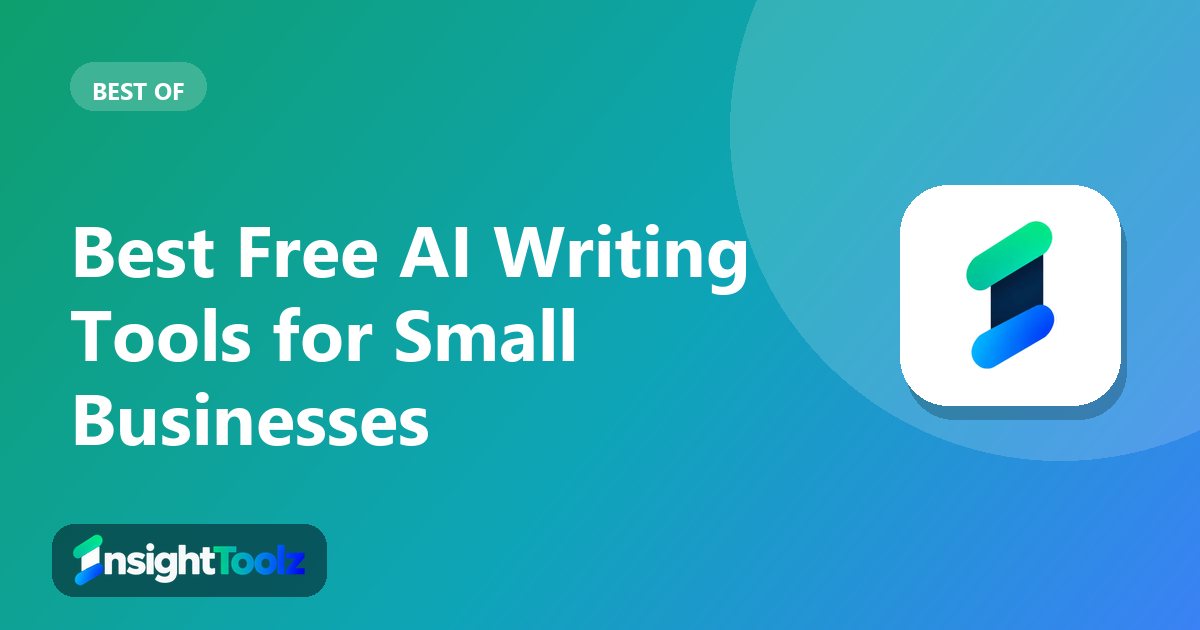
- Best for everyday drafting: ChatGPT Free, $0 with unlimited text chats (checked 8 November 2026).
- Best for long documents with saved context: Claude Free, $0 with up to 5 projects (checked 8 November 2026).
- Best for Google users: Gemini, $0 with a Google sign-in (checked 8 November 2026).
- Best for editing: Grammarly Free, $0 with 100 AI prompts a month (checked 8 November 2026).
- Avoid for free use: Jasper, Writesonic and Copy.ai, which have no free plan (checked 8 November 2026).
What is a free AI writing tool?
A free AI writing tool is software that drafts, rewrites or checks text using a language model, on a plan that stays free with usage limits. It is different from a free trial, which ends and then asks for payment.
- Prompt: you describe the piece, its audience and the facts it must include.
- Draft: the model writes a first version you can revise in the same chat.
- Edit: a checker such as Grammarly corrects grammar, spelling and tone.
- Hit a cap: free plans meter usage by time window, prompts or characters.
- Review: a person fact-checks before anything is published.
For the paid side of the market, see our AI content software hub.
How do the free tiers compare?
Seven tools offer a lasting free tier, and three offer only trials or paid plans. The table shows the detail each official page stated on the day we checked.
| Tool | Access type | Best for | Free-tier detail from the official page | Official link |
|---|---|---|---|---|
| ChatGPT | Free tier | Everyday drafting | Unlimited text chats; limited uploads, images, voice and deep research | chatgpt.com/pricing |
| Claude | Free tier | Long-form drafting | Limited usage every 5 hours and every week; up to 5 projects | claude.com/pricing |
| Gemini | Free tier | Google account users | Flash-Lite model, Deep Research, Canvas and Gems with a Google sign-in | gemini.google/subscriptions |
| Microsoft Copilot | Free tier | Windows and Edge users | Free Copilot exists; paid plans add higher usage | microsoft.com |
| Grammarly | Free tier | Editing across apps | Grammar and spelling checks plus 100 AI prompts a month | grammarly.com/plans |
| QuillBot | Free tier | Paraphrasing | Not confirmed; see official page | quillbot.com/premium |
| Rytr | Free tier | Short template copy | 10,000 characters a month; 40+ use cases | rytr.me/pricing |
| Jasper | Trial only | Evaluating brand voice | 7-day free trial of Pro | jasper.ai/pricing |
| Writesonic | Trial only | Evaluating SEO features | Free trial, no credit card needed | writesonic.com/pricing |
| Copy.ai | Paid only | Sales and marketing workflows | No free plan listed | copy.ai/prices |
What makes a great free AI writing tool?
A great free AI writing tool covers your heaviest regular task without hitting a cap, and lets you control how your data is used. We chose these from research on official sites, pricing pages and terms, not hands-on testing.
- Permanent free tier: a plan that keeps working, not a trial.
- Usage limits: how and how often the cap resets.
- Saved context: projects, memory or reusable brand notes.
- Privacy controls: a setting to keep chats out of model training.
- Commercial-use terms: who owns the output.
- Upgrade trigger: the limit most likely to force a paid plan.
Where a page was blocked or gave no figure, we say so and link to it rather than guess.
Which free AI assistants are best for drafting?
The general assistants do the drafting, and each hits a different limit first. Choose the one that matches where you already work.
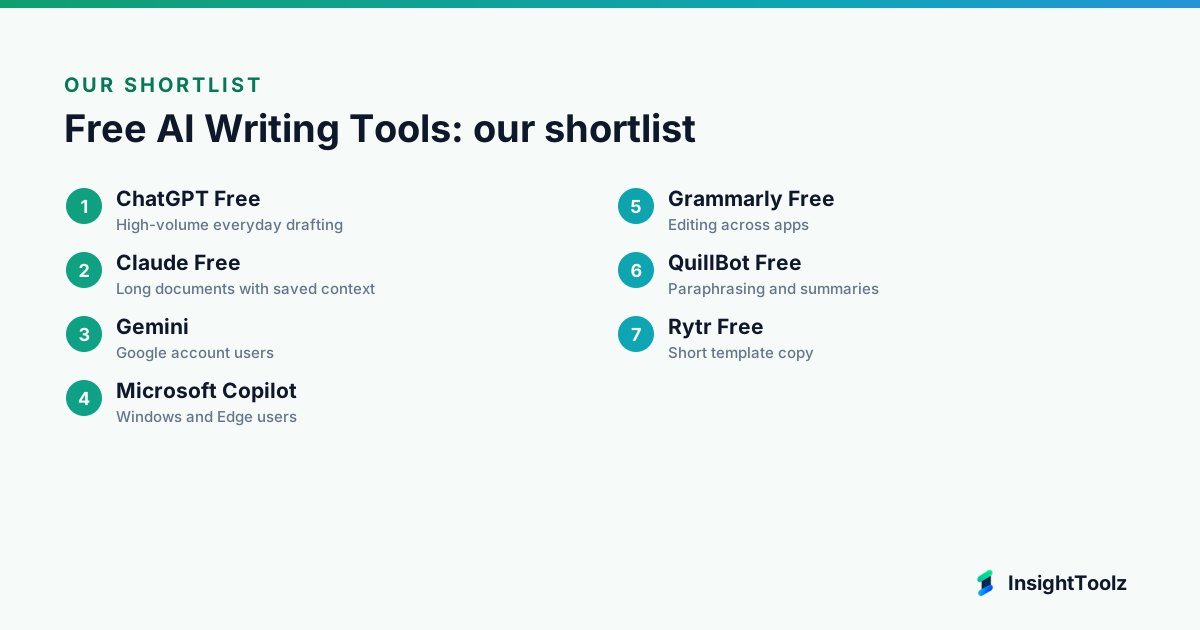
1. ChatGPT Free: best for high-volume everyday drafting
ChatGPT is OpenAI's general AI assistant, with a free plan alongside paid Go, Plus and Pro tiers.
What it does well: it allows unlimited text chats on Free, so short drafts, rewrites and brainstorms rarely stall. Its limits fall on tools rather than text.
- Unlimited text chats.
- Limited file uploads.
- Limited voice chats and deep research.
- Limited memory.
- Image creation: the pricing page lists limited image creation, while OpenAI's help docs differ, so check both.
Pricing: Free is $0 per ChatGPT pricing; Go is $8 a month and Plus $20 a month per OpenAI's pricing docs (checked 8 November 2026).
Best for: lots of short drafts, rewrites and brainstorms.
Limitations: uploads are limited, so skip it if you mainly work from files. Content is used for training unless you opt out.
2. Claude Free: best for long documents with saved context
Claude is Anthropic's general AI assistant, with a free plan alongside paid Pro and Max tiers.
What it does well: projects let you keep brand notes and examples in one place across chats. Free also includes web search and file creation.
- Up to 5 projects.
- Web search and file creation.
- Memory and connectors.
- Usage limited every 5 hours and every week.
- Research and Opus models are paid only.
Pricing: Free is $0; Pro is $17 a month on annual billing ($200 up front) or $20 monthly, per Claude pricing (checked 8 November 2026).
Best for: keeping brand notes and examples in a project.
Limitations: the usage window can run out, so skip it if you need guaranteed daily capacity. Free users choose whether their data improves Claude.
Our ChatGPT vs Claude comparison for marketing sets the two side by side.
3. Gemini: best for Google account users
Gemini is Google's AI assistant, free to use with a Google sign-in.
What it does well: it packs a wide feature set into the free tier for anyone already in Gmail and Drive. Paid Google AI plans raise the limits.
- Flash-Lite model access.
- Image generation.
- Deep Research and Gemini Live.
- Canvas and Gems, per Google's plans page (checked 8 November 2026).
Pricing: free with a Google sign-in; for paid Google AI plans, see official pricing (checked 8 November 2026).
Best for: small businesses already living in Gmail and Drive.
Limitations: the free tier runs on the lighter Flash-Lite model. Skip it if you want the most capable model on a free plan.
4. Microsoft Copilot: best for Windows and Edge users
Copilot is Microsoft's AI assistant, with a free version and higher usage on Microsoft 365 plans.
What it does well: it works on an existing Microsoft account with no extra sign-up. That suits quick drafts for Microsoft households and small offices.
- Free Copilot tier.
- Microsoft 365 Personal gives higher usage than free, per Microsoft's Copilot page (checked 8 November 2026).
- Uses your Microsoft account.
- Free limits: not stated on the page.
Pricing: free tier at $0; see official pricing for Microsoft 365 plans (checked 8 November 2026).
Best for: quick drafts with no extra sign-up on a Microsoft account.
Limitations: Microsoft does not publish free limits on that page. Skip it if you need AI inside Word or Outlook, which sits on paid plans.
Which free tools are best for editing and short copy?
Editing tools polish what you or an assistant wrote, and Rytr fills short template slots. None of them replace a drafting assistant.
5. Grammarly Free: best for editing across apps
Grammarly is a writing assistant that checks text wherever you type, in browsers and apps.
What it does well: it catches spelling, grammar and tone issues in emails and documents. The free plan now adds a monthly allowance of AI prompts.
- Spelling and grammar checks.
- Tone detection.
- 100 AI prompts a month.
- Rewrites, plagiarism checks and AI detection are paid.
Pricing: Free is $0; see official pricing for paid plans on Grammarly's plans page (checked 8 November 2026).
Best for: catching errors everywhere you type.
Limitations: it is a checker, not a drafting tool. Full-sentence rewrites need a paid plan.
6. QuillBot Free: best for paraphrasing and summaries
QuillBot is a paraphrasing and summarising tool with a free tier and a Premium plan.
What it does well: it rewords a rough paragraph or condenses a long one quickly. That helps when a draft says the right thing badly.
- Free paraphrasing.
- Free summarising.
- Premium plan for higher limits.
- Free caps: not confirmed, see official page.
Pricing: QuillBot's pricing pages were blocked on our check date, so see official pricing on QuillBot's premium page (checked 8 November 2026).
Best for: rewording a rough paragraph.
Limitations: rewording is not writing, so skip it if you need original drafts.
7. Rytr Free: best for short template copy
Rytr is a template-based AI writer for short marketing copy, with a free plan and low-cost paid tiers.
What it does well: it gives structured templates for ad lines, product blurbs and short emails. It also writes in many languages.
- 10,000 characters a month on Free.
- 40+ writing use cases.
- 30+ languages.
- Paid Lite, Personal and Pro plans.
Pricing: Free is $0; Lite $9, Personal $19 and Pro $49 a month, per Rytr pricing (checked 8 November 2026).
Best for: ad lines, product blurbs and short emails.
Limitations: the character cap is tight for long pieces. Skip it if a general assistant already covers your short copy.
For paid tools built for this job, see our AI copywriting software guide.
Which free AI writing tool should you use?
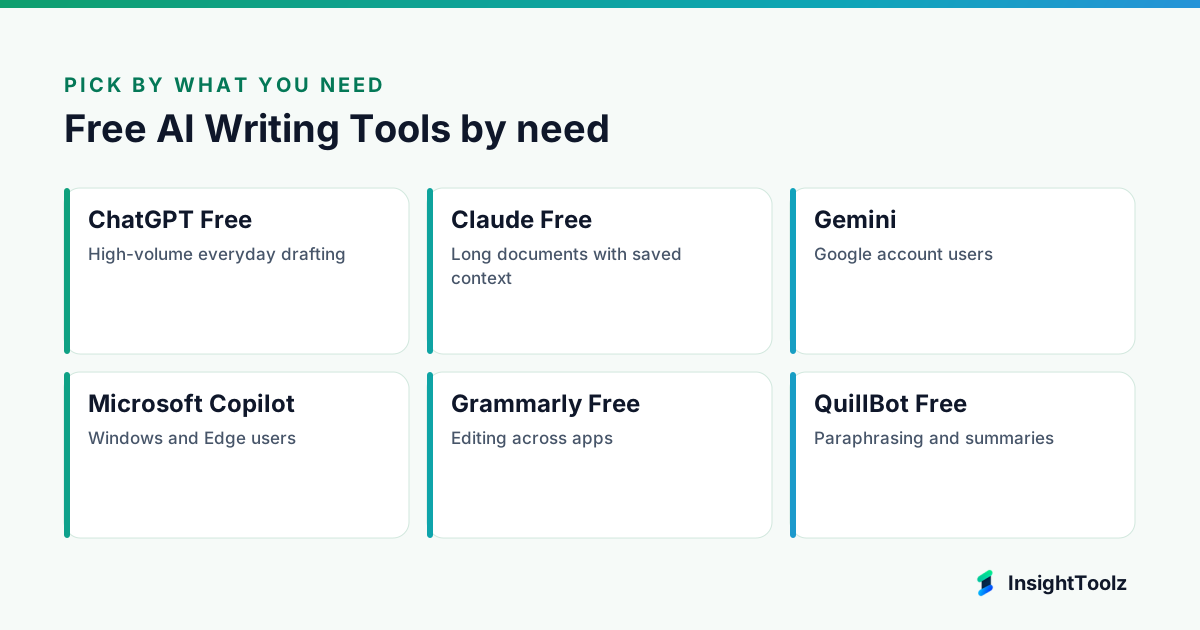
Choose the assistant that matches where you already work, then add a free editing tool. Gemini suits Google users, Copilot suits Microsoft users, and ChatGPT or Claude suit anyone wanting a standalone writer.
- You draft a lot every day: ChatGPT Free.
- You work on long documents with saved context: Claude Free.
- You live in Gmail and Docs: Gemini.
- You use Windows and Edge: Microsoft Copilot.
- You want to polish what you wrote: Grammarly Free or QuillBot Free.
- You need short template copy: Rytr Free.
- You can stretch to paid: see our roundup of AI writing tools for marketing teams.
What is the difference between a free plan and a free trial?
A free plan keeps working at no cost with usage limits. A trial ends after a set period and then asks for payment, so never build a workflow on one.
- Jasper: no free plan, a 7-day free trial of Pro (checked 8 November 2026).
- Writesonic: paid tiers only, with a free trial and no credit card needed (checked 8 November 2026).
- Copy.ai: no free plan listed; paid tiers start at $24 a month billed annually or $29 monthly (checked 8 November 2026).
Free tiers also stretch differently. Claude meters usage in 5-hour and weekly windows, ChatGPT limits uploads and tools, Grammarly caps AI prompts monthly and Rytr caps characters, so match the cap to your heaviest task.
What about privacy and commercial use?
Free consumer plans can use your chats to train models unless you change a setting. Turn that setting off and keep client-confidential material out of free tools.
- ChatGPT: OpenAI's pricing page says content on Free, Go, Plus and Pro is used to train its models, with opt-out available (checked 8 November 2026).
- Claude: Anthropic's consumer terms update lets Free, Pro and Max users choose whether data improves Claude, with five-year retention if allowed and 30 days if not; work and API plans are excluded (checked 8 November 2026).
- Gemini and Copilot: check each vendor's privacy settings before use.
On ownership, Anthropic's consumer terms assign you whatever rights it has in Outputs and bar using the service to build competing products (checked 8 November 2026). Read the equivalent terms for every other tool before using output for clients.
What does a no-cost writing workflow look like?
Draft in one free assistant, edit with a free checker, and fact-check before anything goes live. Keep brand notes in one reusable document so every draft starts from the same context.
- Brief: write audience, goal, key facts and banned claims once.
- Draft: paste the brief into a free assistant, or save it as project knowledge.
- Edit: run the draft through a free checker, then read it aloud.
- Check: verify every fact and number against the original source.
- Log: save prompts that worked so you can reuse them.
Our AI content workflow guide explains where editorial checks belong. If search traffic is the goal, pair this with the free SEO tools for small agencies.
What is the bottom line on free AI writing tools?
A small business can write well for nothing with one free assistant, one free checker and a disciplined human review. Upgrade only when a cap, shared-project need or data requirement starts costing you time or risk.
Next steps: pick one assistant and one checker and run your heaviest weekly task through them, switch off model training in each, and compare paid upgrades in our AI content tool pricing guide when you hit a cap.
What else do small businesses ask about free AI writers?
Most questions concern limits, ownership and privacy. Short answers follow.
Are free AI writing tools good enough for business content?
For short drafts and editing, often yes, provided a person fact-checks and edits the result. For high-volume or team work, usage caps and missing shared features usually push you to a paid plan.
Can I use free AI output commercially?
It depends on each vendor's terms. Anthropic's consumer terms assign you whatever rights it has in Outputs, but read the terms of every tool you use before relying on output for client work.
Do free tools keep what I type private?
Not by default. ChatGPT Free has model training switched on until you turn it off, and Claude asks Free users to choose, so keep confidential client information out of free consumer plans.
Is a free trial the same as a free plan?
No. A trial ends after a set period, while a free plan continues at no cost with limits. Jasper, Writesonic and Copy.ai showed no free plan when checked on 8 November 2026.
When is a paid AI writing plan worth it?
Pay when you hit usage caps more than once a week, when several people need shared projects, or when client work needs business data terms. The cheapest step up is usually an individual assistant plan.
Keep reading
All AI Content guides → Pricing
AI Content Tool Pricing: Cost per 10 Articles and 100 Marketing Assets
AI content tool pricing modeled for 10 articles, 100 assets and a mixed workload, with seats, credits and editing time kept separate and every…
Read guide → Best of
Best AI Marketing Tools for a Small Agency Stack
The AI marketing tools a small agency needs, built as lean, balanced and advanced stacks across research, content, design, email, CRM and reporting.
Read guide → Buying guide
Best AI Writing Tools for Marketing Teams
The best AI writing tools for marketing teams, split by job: long-form, short copy, brand governance, SEO and collaboration, with limits and…
Read guide →