
Best AI Email Copywriting Tools for Campaign Teams
Independent buying guide. Last updated . How we evaluate →
Part of our AI Content guide
The best AI email copywriting tools for most campaign teams are the ones already inside their email platform, such as Klaviyo, Mailchimp, HubSpot or ActiveCampaign, because copy, customer data and sending sit together. Standalone assistants earn a place for sequence planning, variant scoring or one-to-one sales email.
What's the quick answer on AI email copywriting tools?
Use the AI inside the email platform you already send from, and buy a standalone tool only to fill a clear gap. Most teams need one platform and, at most, one assistant.
- Best for ecommerce: Klaviyo, from $20 a month on the Email plan (checked 8 November 2026).
- Best for B2B with a CRM: HubSpot, whose AI email writing features are free (checked 8 November 2026).
- Best for small senders: Mailchimp Standard or higher; see official pricing, since prices are localized.
- Best for whole sequences with voice rules: Claude or ChatGPT, both $20 a month on Pro or Plus (checked 8 November 2026).
- Best for sales emails: Lavender, from $27 a month billed annually (Starter; checked 8 November 2026).
What is an AI email copywriting tool?
An AI email copywriting tool is software that drafts subject lines, body copy and whole sequences from a short brief. Some live inside an email platform next to your customer data, and others are standalone assistants you paste from.
- Brief: you describe the audience, offer and goal, plus your voice rules.
- Draft: the tool suggests subject lines, preview text and body copy.
- Personalize: platform tools insert merge fields from real contact data.
- Test: you split-test variants inside the platform before rolling out.
- Review: a person checks offers, consent and tone before sending.
This page sits in the AI content software category.
How do the AI email copywriting tools compare at a glance?
The table separates campaign platforms from writing assistants and gives one limit for each. Prices are the entry figures shown on official pages on 8 November 2026; check the live page before buying.
| Tool | Type | Best for | Entry pricing | One material limit |
|---|---|---|---|---|
| Klaviyo | Campaign platform | Ecommerce flows and campaigns | Free up to 250 active profiles; Email plan from $20/month | Cost tracks list size |
| Mailchimp | Campaign platform | Small-business newsletters | Free up to 250 contacts; paid tiers by contacts | No generative AI on Free or Essentials |
| HubSpot Marketing Hub | Campaign platform with CRM | B2B lifecycle email | Free for up to 2 users; paid tiers by seats and contacts | Professional starts at a much higher tier |
| ActiveCampaign | Campaign platform | Automation-heavy small teams | 14-day free trial; price set by contact count | No AI content generation on Starter |
| Lavender | Writing assistant | One-to-one sales emails | Free tier (5 emails analyzed/month); Starter $27/month annual or $29 monthly | Not for campaigns |
| Anyword | Writing assistant | Scoring copy variants | Starter $39/month annual or $49 monthly; 7-day trial | Outside your ESP |
| Claude | General AI assistant | Whole sequences with voice rules | Free; Pro $17/month annual or $20 monthly | No ESP data or integration |
| ChatGPT | General AI assistant | Whole sequences with voice rules | Free; Go $8/month; Plus $20/month | No ESP data or integration |
What makes a great AI email copywriting tool?
A great AI email tool writes close to your customer data and lets you test what it writes. Our criteria are research-based, drawn from official sites and pricing pages, not from product testing.
- Sequence writing: can it plan a multi-email flow, not just one send?
- Subject lines: does it suggest honest options with preview text?
- Personalization: can it use real contact fields safely?
- Brand controls: can voice rules be stored and reused?
- Testing: can variants be split-tested where you send?
- Plan gating: which tier unlocks the AI features?
We make no claims about open or click rates. Where a page showed localized currency or unclear billing, we left the figure out.
Which email platforms have the best built-in AI copywriting?
Klaviyo, Mailchimp, HubSpot and ActiveCampaign all write copy where it's sent. Start here, because the AI can use your segments and test inside the platform.
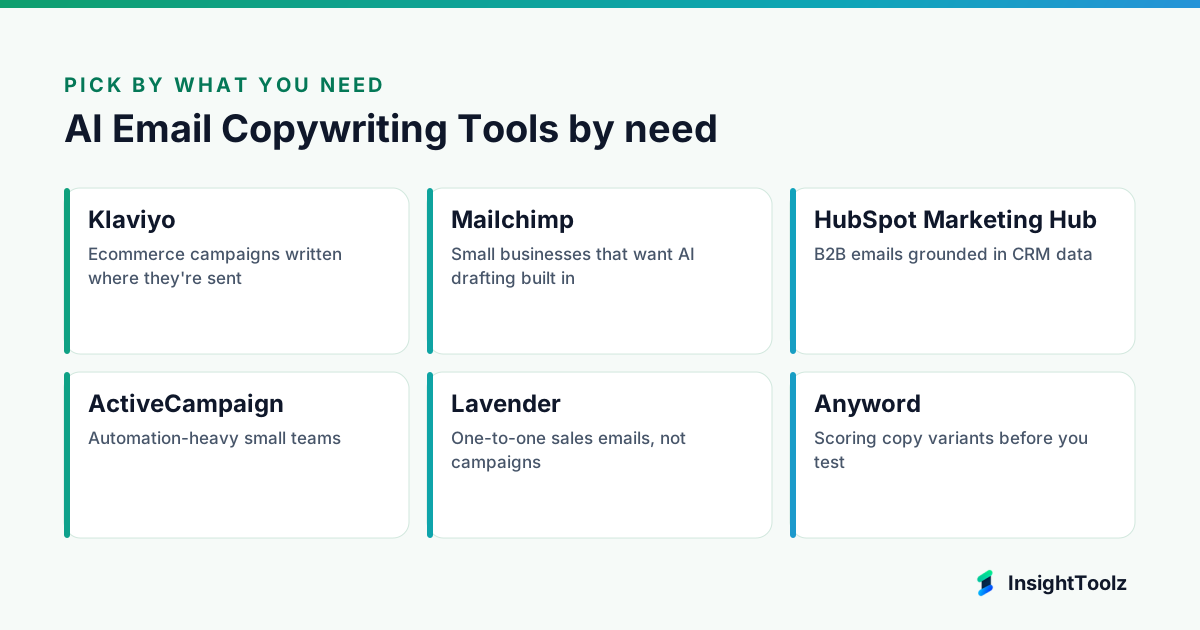
1. Klaviyo: best for ecommerce campaigns written where they're sent
Klaviyo is an email and SMS marketing platform built for online stores. Its AI tools sit inside the campaign and flow builders.
What it does well: copy, store data and sending live in one place. A free plan lets small stores start without a contract.
Key features:
- A subject line assistant that suggests up to three options from a short topic description (checked 8 November 2026).
- The assistant works in both campaigns and flows.
- A daily generation limit on suggestions.
- A free plan with 500 emails a month to 250 active profiles.
Pricing: the pricing page lists a free plan and the Email plan from $20 a month for 500 active profiles (checked 8 November 2026).
Best for: ecommerce teams whose flows and campaigns already run in Klaviyo.
Limitations: lighter voice controls than a dedicated writer, and the bill grows with the list. Skip it if you don't sell through an online store.
2. Mailchimp: best for small businesses that want AI drafting built in
Mailchimp is an email marketing platform from Intuit aimed at small businesses. Its generative AI sits inside a familiar campaign builder.
What it does well: low friction for teams already sending from it. Standard pairs the AI with automation flows and branded templates.
Key features:
- Generative AI features as a no-extra-cost add-on on Standard and Premium, per the pricing page (checked 10 November 2026).
- Marketing Automation Flows on Standard, up to 200 flows.
- Pre-built and branded email templates.
- Multivariate and A/B testing, listed under Premium.
Pricing: the pricing page lists a free plan for 250 contacts and 500 sends a month (checked 8 November 2026). Paid prices shown to us were localized and promotional, so see official pricing for your region.
Best for: small businesses and newsletters that want help inside their campaign builder.
Limitations: the AI isn't on Free or Essentials, so you need Standard or higher. Skip it if you need deep brand governance or complex B2B lifecycle logic.
3. HubSpot Marketing Hub: best for B2B emails grounded in CRM data
HubSpot Marketing Hub is the marketing product in HubSpot's CRM platform. Its email writer drafts copy next to contacts, deals and lifecycle stages.
What it does well: copy and the CRM record share one system. The AI email writing features cost nothing to start.
Key features:
- AI email writing features available for free (checked 8 November 2026).
- Drafts for subject lines.
- Drafts for marketing emails.
- Drafts for one-to-one prospecting emails.
Pricing: the Marketing Hub pricing page lists a free plan for up to 2 users, and Professional with 3 core seats and 2,000 marketing contacts (checked 8 November 2026). Paid figures weren't clearly labelled monthly or annual, so see official pricing.
Best for: B2B teams whose contacts and deals already live in HubSpot.
Limitations: costs climb with seats and marketing contacts. Skip it if you only send an occasional newsletter.
4. ActiveCampaign: best for automation-heavy small teams
ActiveCampaign is an email marketing and automation platform for small and midsize businesses. It builds sequences and their copy in the same flow view.
What it does well: multi-step automations with AI help on each step. Plus bundles AI content, landing pages and A/B testing.
Key features:
- AI content generation and AI image generation on Plus, Pro and Enterprise, per the pricing page (checked 10 November 2026).
- An AI campaign builder and spam check on Plus.
- Multi-step marketing automation.
- A/B testing for email campaigns, plus landing pages.
- Predictive sending and conditional content from Pro.
Pricing: set by contact count with a 14-day free trial; the page showed no fixed figure to us, so see official pricing (checked 8 November 2026).
Best for: small businesses running multi-step automations.
Limitations: no AI content generation on Starter, and AI-written steps still need a tone review across the sequence. Skip it if you mainly send one-off newsletters.
Which standalone tools are best for sales email and variant scoring?
Lavender coaches one-to-one sales emails in the inbox, and Anyword predicts which copy variant to test. Both sit outside your email platform.
5. Lavender: best for one-to-one sales emails, not campaigns
Lavender is an AI email coach for sales reps. It scores and improves individual emails inside the inbox rather than writing campaigns.
What it does well: real-time feedback while a rep writes. It brings prospect data into the inbox to suggest personalization.
Key features:
- A Lavender email score for each email or template, per the Email Coach page (checked 10 November 2026).
- A Personalization Assistant that suggests ways to personalize.
- An AI Email Writer and Mobile Optimization.
- Works with Gmail, Outlook, Outreach and Salesloft.
- A Coaching Dashboard for managers on team plans.
Pricing: the same page lists a free Basic plan (5 emails analyzed a month), Starter at $27 a month annual or $29 monthly, and Team at $89 per seat annual or $99 monthly (checked 8 November 2026).
Best for: SDRs and founders writing individual prospecting emails.
Limitations: not a campaign tool, and outbound volume brings its own compliance duties. Skip it if you write marketing campaigns to opted-in lists.
6. Anyword: best for scoring copy variants before you test
Anyword is an AI copywriting platform that attaches a performance prediction to generated copy. It suits teams that create many variants.
What it does well: a pre-send signal on which variants deserve a test slot. Copy generation is unlimited on its plans.
Key features:
- Performance predictions, with a set number per plan, per the pricing page (checked 10 November 2026).
- Unlimited copy generation and 1 brand voice on Starter.
- 100+ marketing templates and prompts.
- A Google Chrome extension.
- Real-time predictions for manual edits on Data-Driven.
Pricing: the pricing page lists Starter at $39 a month annual or $49 monthly, Data-Driven at $79 or $99, and a 7-day trial capped at 2,500 words (checked 8 November 2026).
Best for: teams that generate many variants and want a signal on which to test.
Limitations: it sits outside your ESP, and the page doesn't name email subject lines as a feature. Skip it if your ESP's built-in testing already covers you.
Which general AI assistants are best for planning whole sequences?
Claude and ChatGPT both hold a voice guide and reference files in a project, which suits planning a full sequence. Neither connects to your ESP, so copy is pasted across.
7. Claude: a general assistant for full sequences and voice rules
Claude is a general AI assistant made by Anthropic. Lifecycle marketers can use it to plan a whole sequence under one standing set of rules.
What it does well: applying voice, offer and footer rules every time from a stored project. It plans the sequence as a whole rather than one email at a time.
Key features:
- Projects that hold uploaded reference files and standing instructions (checked 8 November 2026).
- A Free plan to try sequences before paying.
- Team plans with standard seats for shared projects.
- Drafting of subject lines, bodies and sequence outlines from one brief.
Pricing: the pricing page lists Free, Pro at $17 a month billed annually or $20 monthly, and Team standard seats at $20 a seat annually or $25 monthly (checked 8 November 2026).
Best for: lifecycle marketers who plan whole sequences.
Limitations: no ESP integration, customer data or send testing. Skip it if you want copy generated from live customer data inside the ESP.
8. ChatGPT: a general assistant for full sequences and voice rules
ChatGPT is OpenAI's general AI assistant. It does the same job as Claude here: planning whole sequences with a standing voice guide.
What it does well: projects keep files and instructions consistent across chats. Its Go plan is a low-cost way to add a second writer.
Key features:
- Projects that give their chats the same uploaded files and project instructions (checked 8 November 2026).
- A Free plan to try sequences before paying.
- A Business plan for teams of 2 or more users.
- Drafting of subject lines, bodies and sequence outlines from one brief.
Pricing: the pricing page lists Free, Go at $8 a month, Plus at $20 a month, and Business at $20 a user annually or $25 monthly (checked 8 November 2026).
Best for: lifecycle marketers who plan whole sequences.
Limitations: no ESP integration, customer data or send testing. Skip it if you want copy generated from live customer data inside the ESP.
What do seat-priced AI email tools cost for a team of 3, 5 or 10?
Seat-priced tools cost the seat price times the number of writers, whatever your list size. The table is our arithmetic from published annual prices checked on 8 November 2026, not a vendor quote.
| Plan | Per seat (annual) | 3 people | 5 people | 10 people |
|---|---|---|---|---|
| Claude Team (standard) | $20 | $60 | $100 | $200 |
| ChatGPT Business | $20 | $60 | $100 | $200 |
| Lavender Team | $89 | $267 | $445 | $890 |
Campaign platforms price mainly by contacts and tier instead. Mailchimp's AI needs Standard or higher and ActiveCampaign's needs Plus or higher, while HubSpot's AI email writing is free.
Which AI email copywriting tool should you use?
Start with the AI built into your email platform, because it writes next to your customer data. Add a standalone tool only for sequence planning, variant scoring or sales email.
- You run ecommerce campaigns and flows: Klaviyo; see also the ecommerce email platform comparison.
- You send small-business newsletters: Mailchimp; compare email marketing software for small businesses first if you're still choosing.
- You run B2B lifecycle email tied to a CRM: HubSpot Marketing Hub.
- You run automation-heavy programs: ActiveCampaign.
- You plan whole sequences with voice rules: Claude or ChatGPT.
- You want to score variants before testing: Anyword.
- You write individual sales emails: Lavender.
Do AI-written subject lines actually lift open rates?
There's no general answer, and open rates are a weak measure anyway, because privacy features in some mail clients inflate opens. Judge AI subject lines by clicks and conversions in your own split tests, not by vendor claims or predicted scores.
An A/B test of your original subject line against the AI version is the fair way to check. Run it on enough sends to reach a clear result before you trust the winner.
What review and compliance checks should every AI-written email pass?
Every AI-drafted email needs a human check for offer accuracy, consent and unsubscribe handling, honest subject lines and brand voice before it sends. These checks protect both deliverability and legal standing.
- Offer accuracy: discounts, dates and terms match what's approved; AI tools invent offers easily.
- Honest subject lines: no misleading urgency or claims the body doesn't support.
- Consent and opt-out: sent only to contacts with a lawful basis, with a working unsubscribe and sender details.
- Personalization fallbacks: merge tags have defaults so nobody gets "Hi {first_name}".
- Rendering and links: checked across major mail clients before every send.
Before choosing, run a subject-line brief, a welcome email and a two-email win-back through each shortlisted tool. The same method works for other short copy, as set out in our AI copywriting software guide.
What is the bottom line on AI email copywriting tools?
Use the AI inside your email platform first, and add one standalone tool only where it fixes a gap. Klaviyo suits ecommerce, Mailchimp suits small senders, HubSpot suits CRM-led B2B and ActiveCampaign suits automation-heavy teams.
Next steps: run the three test briefs on your current platform's AI and one standalone tool; compare edit minutes; then read the pillar guide to AI writing tools for marketing teams or return to the AI content software hub.
What else do campaign teams ask about AI email copy?
These answers cover the practical edge cases: privacy, personalization, deliverability and sales email. Each one assumes a person approves the send.
Is it safe to put customer data into an AI writing tool?
Keep personal data inside your email platform where possible, and check any standalone tool's data-use terms first. Merge tags let you write personalized copy without pasting real customer records into a chatbot.
Can AI-written emails hurt deliverability?
The copy itself is rarely the main cause, but misleading subject lines, spammy phrasing and sending to unengaged contacts all raise complaint rates. Keep list hygiene and authentication in order whichever tool writes the words.
Should we use the same tool for sales emails and marketing campaigns?
Usually not. Marketing campaigns go to opted-in lists from an ESP, while one-to-one sales email is written in the inbox and carries different compliance duties, so the tools and rules differ.
How many subject lines should we test?
Test as many as your list size can support with a clear result, which for most small lists means two at a time. Generating forty options is easy; proving one is better needs volume.
Which email platforms gate AI features behind higher plans?
Mailchimp lists its generative AI on Standard and Premium, not Free or Essentials, and ActiveCampaign lists AI content generation from Plus up. HubSpot says its AI email writing features are free.
Keep reading
All AI Content guides → Best of
Best AI Video Editing Tools for Marketing Teams
Compare AI video editing tools for marketing teams: captions, clipping, brand kits, export limits, seat versus credit pricing and commercial-use…
Read guide → Best of
Best AI Presentation Tools for Sales and Marketing Teams
AI presentation tools for sales and marketing teams compared on prompt-to-deck generation, brand templates, imports, export fidelity and presenter…
Read guide → Comparison
ChatGPT vs Claude for Marketing Workflows
ChatGPT vs Claude for marketing, compared by job: research, drafting, data, images, files, collaboration, plan costs and data policies, with dated…
Read comparison →